
Workbench layout 1.0-beta.2+
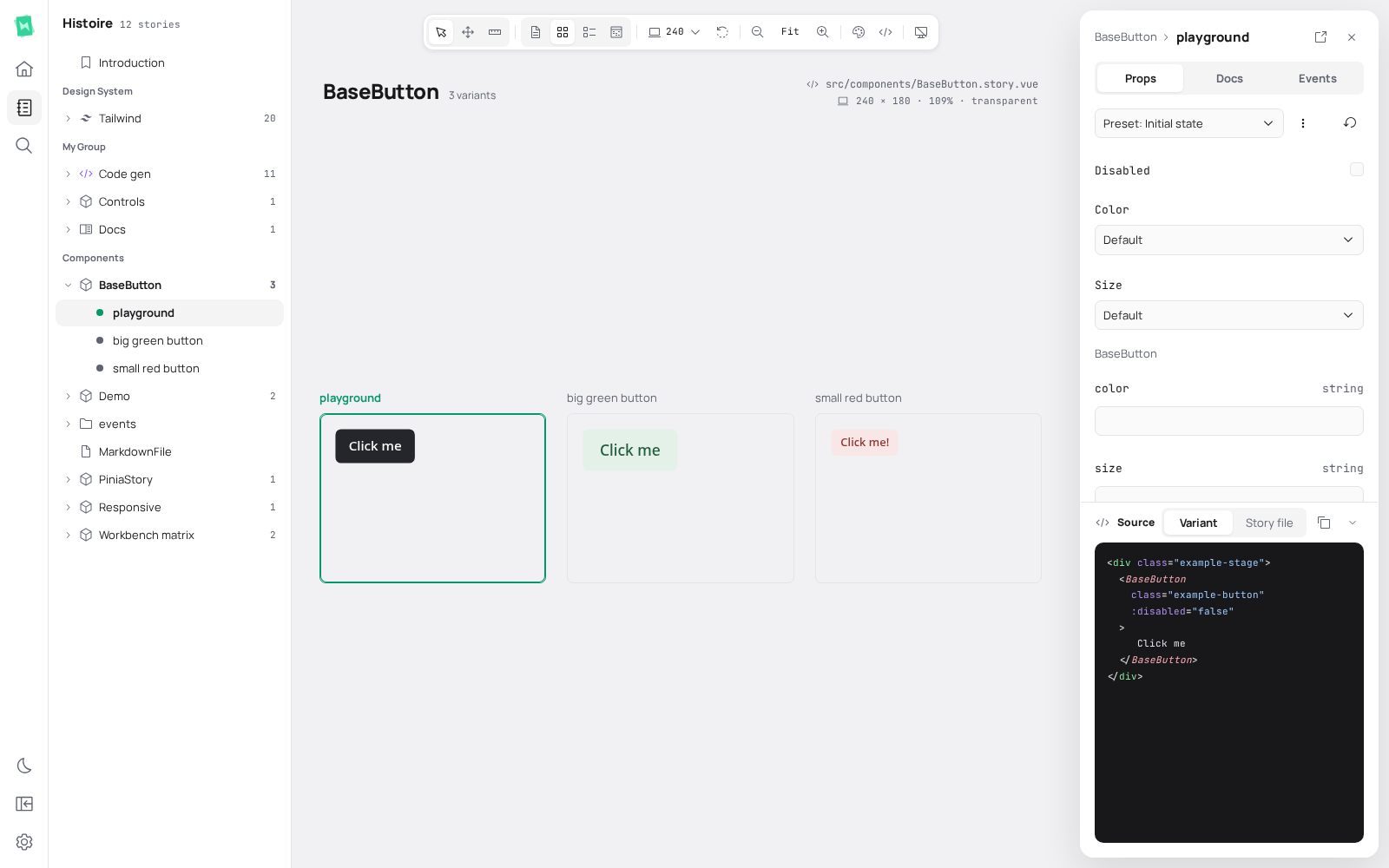
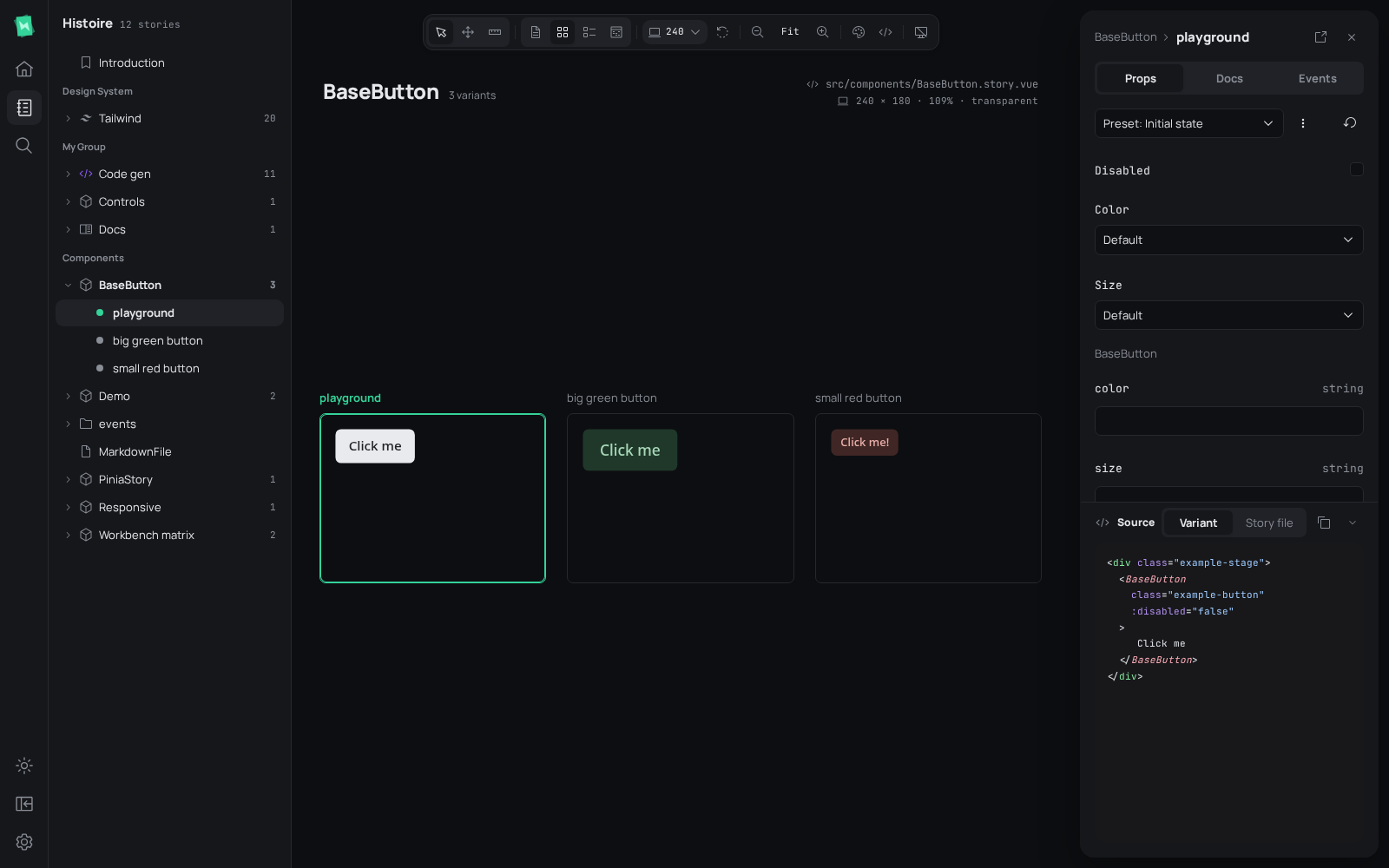
Browse stories on the left, compare variants on the canvas, and edit the selected variant in the inspector. Use Open demo above to try the static book. Development adds tests, comments, screenshots and MCP activity.
Use Stories, Search, Tests, or AI (threads, canvas comments and MCP activity) in the left rail to change the side panel. Selecting its active button again collapses the panel. The collapse button near Settings also opens or closes the panel. Home and Settings keep their existing route navigation.
The rail is 56px wide; expanded panels default to 280px. Drag the panel's outer edge or inspector's inner edge to resize. Focus either separator and use Left/Right arrows, Shift for larger steps, or Home/End for width limits. Widths persist locally and stay bounded to available workspace. The floating inspector defaults to 344px, can be resized or closed, and cannot be moved or pinned.
On containers at most 640px wide, the rail moves to the bottom and panels open over the workspace. Choosing a story dismisses this overlay. Canvas fit and floating tools account for the visible inspector width.
Select (V), Pan (H), and Measure (M) share the canvas toolbar's tool switch; one tool stays active at a time. Pan, Space+drag, or middle mouse pans the canvas. Space+drag and middle mouse temporarily pan while keeping the selected tool. Its shortcut hint stays inside the workspace beside the inspector. With Measure selected, hover a selected preview to inspect its size and spacing. Click to lock that measurement; click again to resume hovering. Changing tool, preview, or runtime clears the lock. Enter or Space also toggles a displayed measurement.
Single variant shows only selected variant. Fit shrinks oversized viewports to available canvas space and keeps smaller viewports at 100%. Responsive fills area beneath canvas chrome and beside inspector; viewport presets, custom dimensions, and direct frame resizing select fixed sizing. Drag right, bottom, or corner grips to resize. Width and height separators also support arrow keys, with Shift for larger steps and Home/End for minimum/maximum size. Direct resizing keeps current displayed scale, so Fit becomes manual zoom; choose Responsive or Fit again from canvas toolbar to restore automatic sizing or scaling. Document content and oversized frames scroll normally; camera panning stays unavailable. Explicit single-layout stories, including generated Tailwind token stories, use this view by default. Stories omitting layout keep local/project defaults. Use arrange=single to override view through URL.
Canvas zoom is saved locally for Single variant, Grid, List, and Props matrix independently. Fit recalculates for current arrangement. With Sync zoom across stories disabled, selecting another story resets only active arrangement to Fit.
Selecting a Grid or List variant changes its canvas border and inspector while admitted variants keep their existing documents and local state. This applies to canvas, sidebar, search, and browser history navigation. ui.frameBudget still limits live variants: eviction, explicit retry, story removal, or executable source changes can replace a document. Returning to an evicted variant restores its retained editable state; DOM-only state survives while its document remains admitted.
Props show a loading skeleton until the selected document reports custom-control availability. Generic state editors appear only when that document has no authored controls, avoiding temporary duplicate editors during startup.
Static builds include Home, Stories, Search, appearance controls, panel collapse, and Settings. Dev-only destinations are omitted. Opening a static book with an old dev pane preference restores Stories.
Press Ctrl/⌘ Shift D to switch light/dark appearance. Ctrl/⌘ K retains the story and command palette. The existing theme.hideColorSchemeSwitch option controls the appearance switch.
Panel and inspector preferences use _histoire-ui-shell. Story URLs and their variantId and tab query parameters remain independent of these local preferences.
Hide and restore UI
Choose Hide UI in the canvas toolbar or press Ctrl/⌘ Shift H to focus on the canvas. Right-click the canvas and choose Show UI, or use the same shortcut, to restore workbench controls. Context menus remain available while UI is hidden.
Internal shell contracts
Each standalone workbench owns a createShell instance and provides it through provideShell. Components read the narrow useShell contract. Persistence attaches to the caller's own document storage, and close retires observers without disposing its session.
WorkbenchLoadingSkeleton provides reusable loading rows with an accessible label and configurable rows count. Its pulse respects reduced-motion preferences. Use it while content is pending; WorkbenchEmptyState represents settled empty areas.
ShellLayout accepts stories, search, tests, comments, mcp, main, inspector, and overlays slots. Optional inspector-header adds a frame-owned header and close button; inspector content that supplies its own header uses only inspector.
Layers use canvas content, toolbar (20), inspector (30), provider popovers (100), then menus and dialogs. Narrow panel backdrop (70), panel (80), and bottom rail (90) stay above the canvas while the panel is open.